Furniture ideas should solve problems: you need seating for four, storage for a growing collection, a desk that fits in a corner. Starting with functional needs prevents buying beautiful pieces that don't work in your space. Form follows function; never forget function.
Consider your constraints: room size, budget, existing furniture style, and how pieces will age. Quality furniture lasts decades; cheap furniture needs replacing. The best furniture investments are in high-use items: seating you sit in daily, mattresses you sleep on, desks you work at.
Don't rush furniture purchases. Live in your space first to understand what you actually need. Take measurements carefully. Test seating in person whenever possible. Furniture is expensive and difficult to return. The time invested in consideration prevents costly mistakes.
What is worth borrowing
Choosing furniture well is mostly a matter of eliminating the wrong options early. Start with the room's dimensions, the household's habits, and the lifespan you need from the piece. A chair for occasional bedroom seating can tolerate different compromises than the sofa used every night for ten years. Once those expectations are named, the shortlist gets much smaller and much better. Too many buyers reverse the order: they fall for silhouette first, then try to negotiate with the room and their own body later. Rooms are unimpressed by infatuation.
Scale is the first filter because almost every furniture mistake is spatial before it is aesthetic. Keep primary walkways around 36 inches, leave about 18 inches between sofas and coffee tables, and preserve at least 36 inches behind dining chairs if people will sit there comfortably. The largest furniture piece should usually consume no more than about two-thirds of its wall unless the architecture clearly wants something more substantial. These are not arbitrary formulas; they are the distances that allow a room to feel calm instead of crowded. When a piece fails them, no beautiful finish can rescue it.
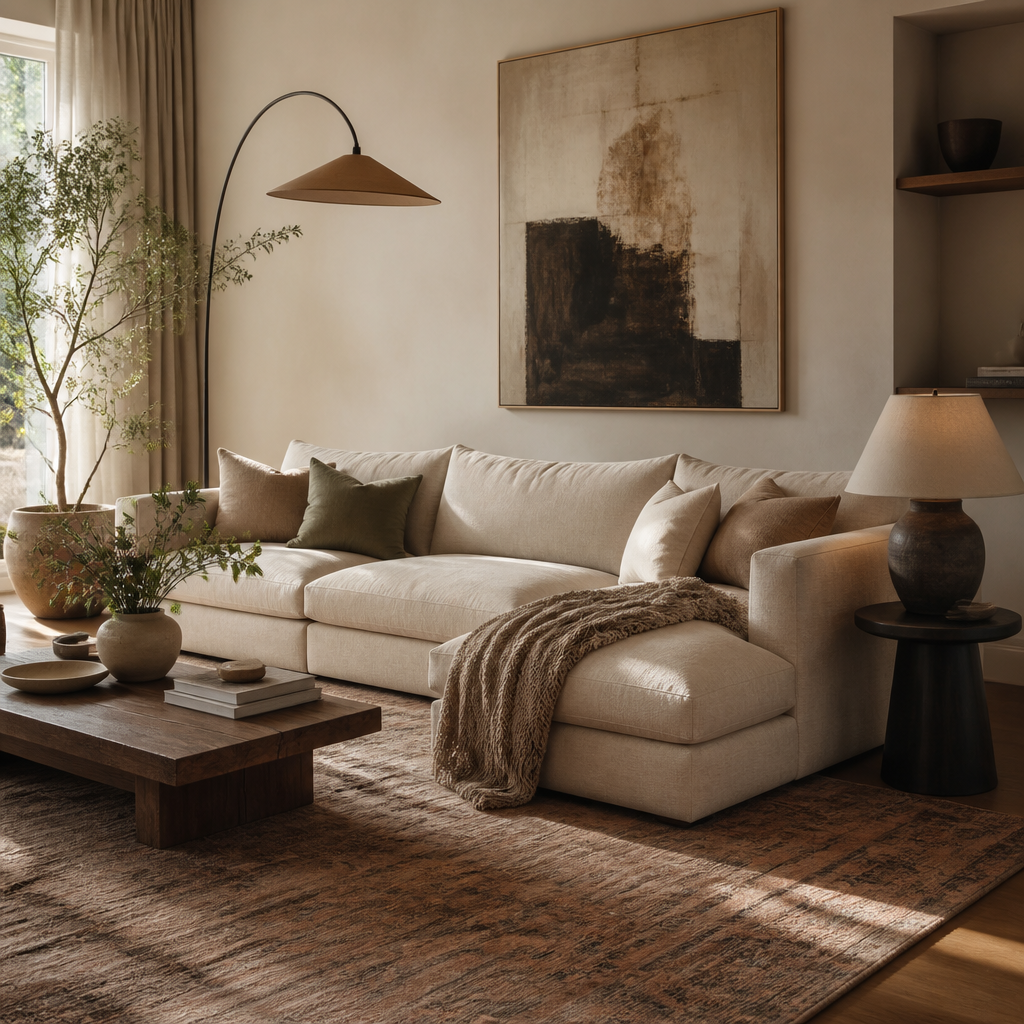
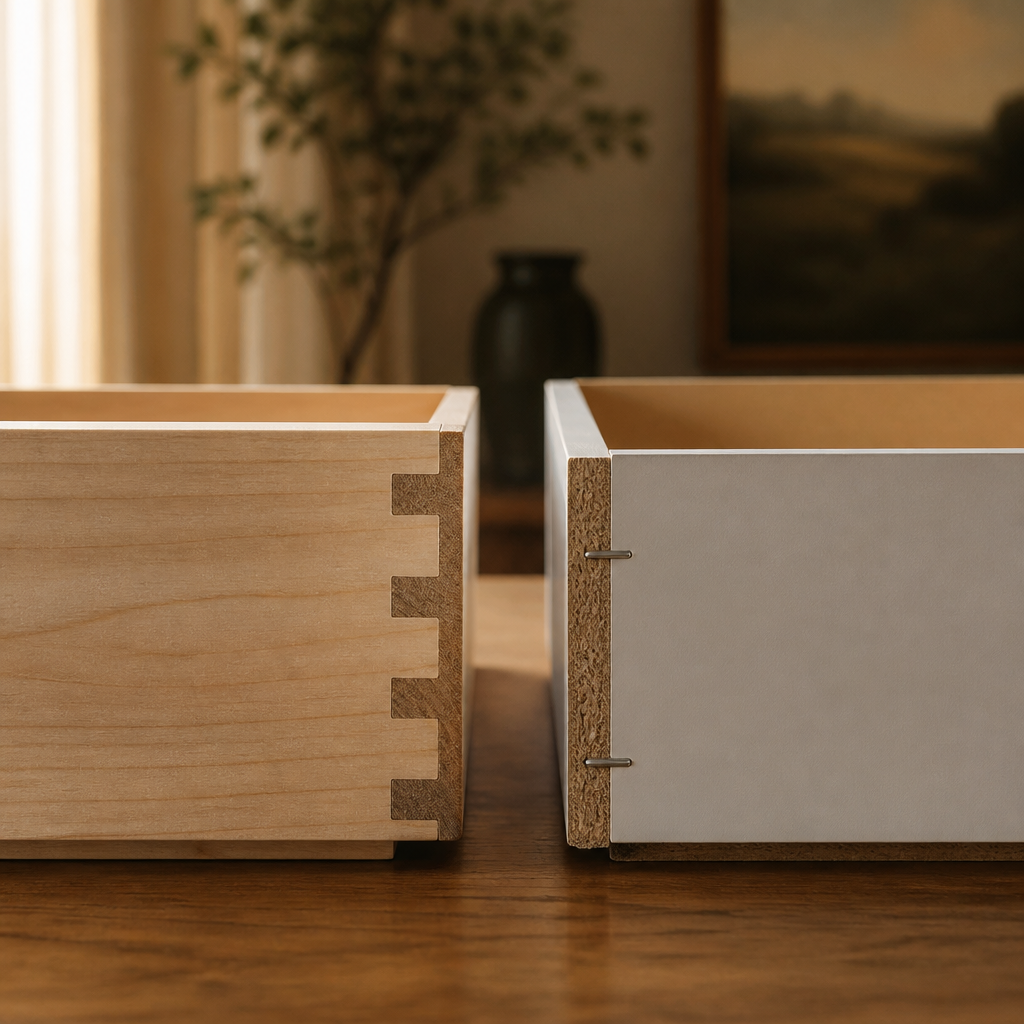
Construction quality is the second filter, and it is where price finally starts to mean something. Upholstered pieces should identify frame material, suspension type, and cushion density. Kiln-dried hardwood, corner blocking, and high-resilience foam around 2.0 pounds per cubic foot or higher are very different from stapled composite frames and low-density fill. Case goods should reveal drawer joinery, slide type, and whether the back panel is structural or decorative. A solid-wood dresser at $1,800 and an engineered-wood dresser at $400 are not versions of the same thing; they are often different lifespans, different repairability, and different tolerance for moving houses or being used hard.
How to turn ideas into a plan
Measure the room and the access route first
Record wall lengths, doorway widths, stair turns, and ceiling height before browsing seriously. The room determines the size category, and the route determines whether the piece can even arrive. A beautiful object that cannot enter the house or preserve circulation is not a candidate.
Define the job before judging the style
Decide whether the piece is for daily lounging, occasional guests, heavy dining use, laptop work, display storage, or some combination. Function determines how much comfort, durability, surface area, and structural quality you actually need, which is far more useful than beginning with silhouette alone.
Filter the shortlist by real dimension thresholds
Use measured categories to eliminate weak fits fast: compact, standard, oversized, shallow, deep, low, or tall. Compare those against walkway targets, wall length, and the proportion of nearby furniture. This is the step that protects you from buying a piece that is technically attractive and physically wrong.
Compare construction and material performance, not just appearances
Review frame material, joinery, cushion density, drawer slides, abrasion ratings, and finish behavior before assuming two similarly shaped products are equivalents. In many rooms, durability and maintenance are what separate a smart purchase from a short-lived one.
Test style only after fit and function survive
Once the shortlist is reduced to viable pieces, compare silhouettes, leg profiles, arm shapes, and finish tones against the room's architecture and existing materials. This keeps style from dominating the decision before the basic practical hurdles have been cleared.
Buy in sequence and verify the supporting pieces later
Commit to the anchor or most demanding piece first, then let side tables, rugs, lamps, and secondary storage respond to it. Furniture planning gets safer and more coherent when one correct decision establishes the scale framework for the rest of the room.
What to filter out
Materials should be chosen against real abuse. Performance textiles above roughly 30,000 double rubs make more sense in family rooms than delicate weaves do. Full-grain leather will patina; bonded leather will usually crack. Marble tops etch under acid, open-pore wood darkens under oil, and high-gloss lacquer records impact in ways matte finishes do not. None of these qualities are inherently bad. They just need to match the room and the people using it. The right question is not "is this beautiful?" It is "will this still look intentional after sunlight, spills, friction, and cleaning do what they always do?"
The final test is logistics. A perfectly chosen piece that cannot clear the stair turn or elevator is not well chosen. Measure doorways, hallways, and corners. Confirm delivery type, assembly level, and return terms before purchase. Good furniture planning is not speculative shopping. It is measured decision-making that balances size, construction, ergonomics, material behavior, and the blunt physical fact that the piece has to enter the house and live there well.